

# Poker HUD in Hand2Note
Poker pros see Hand2Note as the most powerful and user-friendly HUD software on the market. In this article, I'll explain the benefits of using a HUD and show you how Hand2Note's HUD stands out from other similar poker HUD software.
Table of Contents:
What’s so special about HUD in Hand2Note?
With a HUD, or Heads-Up Display, you make smarter decisions based on your opponents' past behavior, such as how often they fold or raise and how aggressive they are. Let me show you how.
# What is a HUD?
A HUD, or Heads-Up Display, in online poker is a visual interface that overlays your online poker tables in real time. The HUD shows statistics on each player based on their past hands.
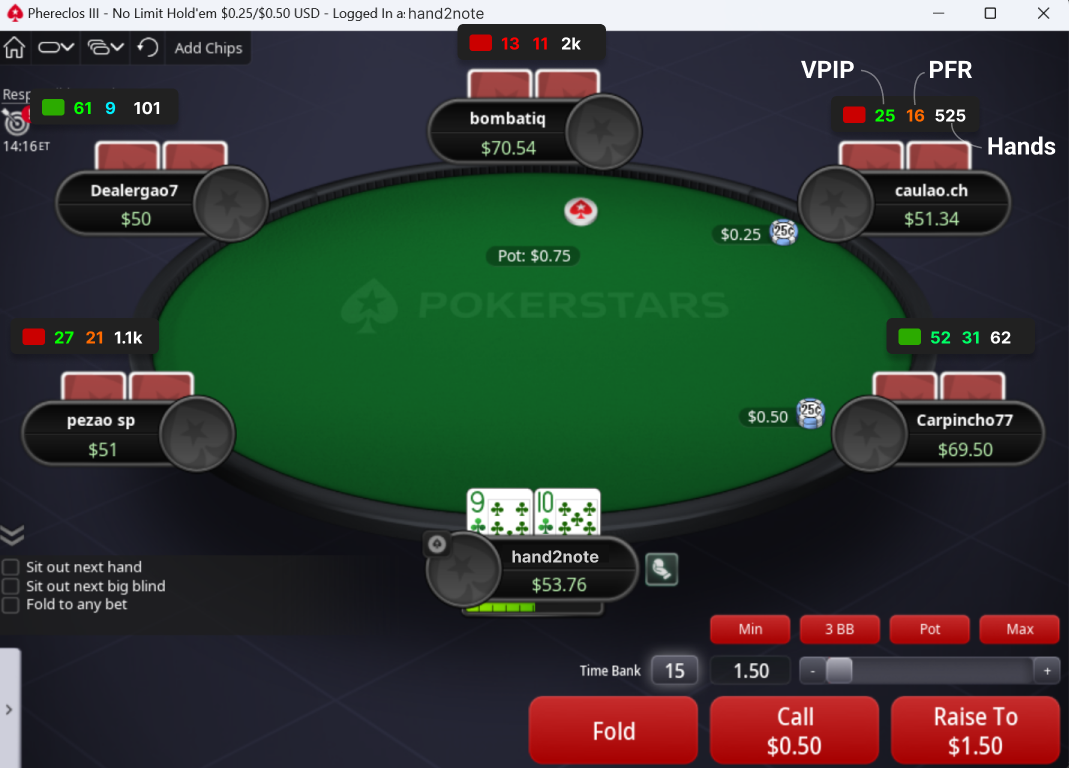
In the screenshot below, the HUD displays three basic stats for each player at the table: Voluntarily Put $ in Pot (VPIP), Preflop Raise (PFR), and the number of hands they've played.
# Why do you need a HUD?
Poker is a game of incomplete information. The more information you have on your opponent, the larger your advantage becomes. HUDs, or Heads-Up Displays, serve this very purpose, giving you more information in the form of data. Think of them as your secret weapon at the poker table!
For example, the guy below is a typical "rock" who waits only for very strong preflop hands. I know this because his VPIP (Voluntarily Put $ in Pot) is just 13%.
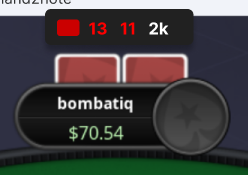
I should avoid entering the pot with him unless I have a strong preflop hand.
In contrast, the player below is quite the opposite.
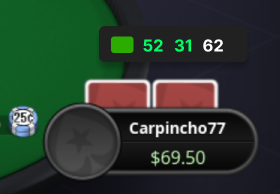
His PFR (Preflop Raise) is 31%. This means that he not only plays many hands preflop but also plays them aggressively. I expect a lot of bluffs from him postflop.
Don’t miss valuable information by playing online poker without a HUD.
# What’s so special about HUD in Hand2Note?
Now, let me show you a few compelling reasons why Hand2Note's HUD stands out compared to other poker HUD software.
# HUD in Hand2Note changes in real time
There are three types of HUD in Hand2Note:
- Static HUD is a standard HUD.
- Positional HUD displays stats based on players’ positions.
- Dynamic HUD displays stats based on actions in the current hand.
Static HUD shows the same stats for all players at the table. If you've used other poker software, you're probably familiar with this kind of HUD.
Positional HUD, in contrast to a static HUD, displays different stats for each player at the table based on their positions, stack sizes, or player type.
In the screenshot below, I'm in the cutoff position (CO). For the player in the button position (BTN), the HUD shows how often he 3-bets from the button against the cutoff.
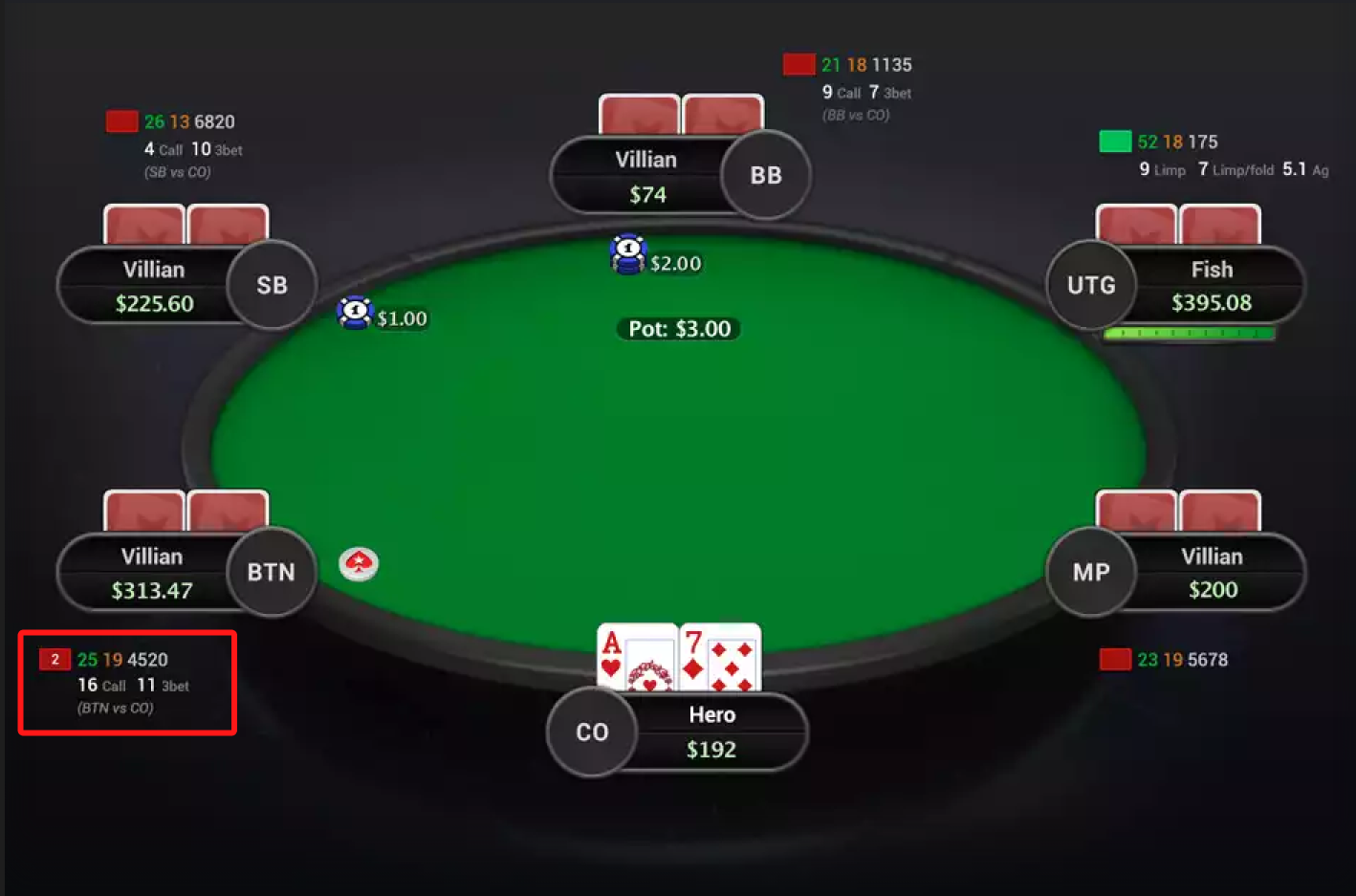
What's really cool is that the HUD stats for the players in the small and big blind positions are different, showing how often they 3-bet from their specific positions. Take a closer look at the screenshot above!
Dynamic HUD adapts to players’ actions in the hand, while a positional HUD displays stats based on positions known at the start of a hand. In other words, Hand2Note changes the HUD in real time during the hand.
For example, if my opponent raises from the button position, the HUD instantly shows me how often he folds to a 3-bet in that situation. Take a look at the screenshot below:
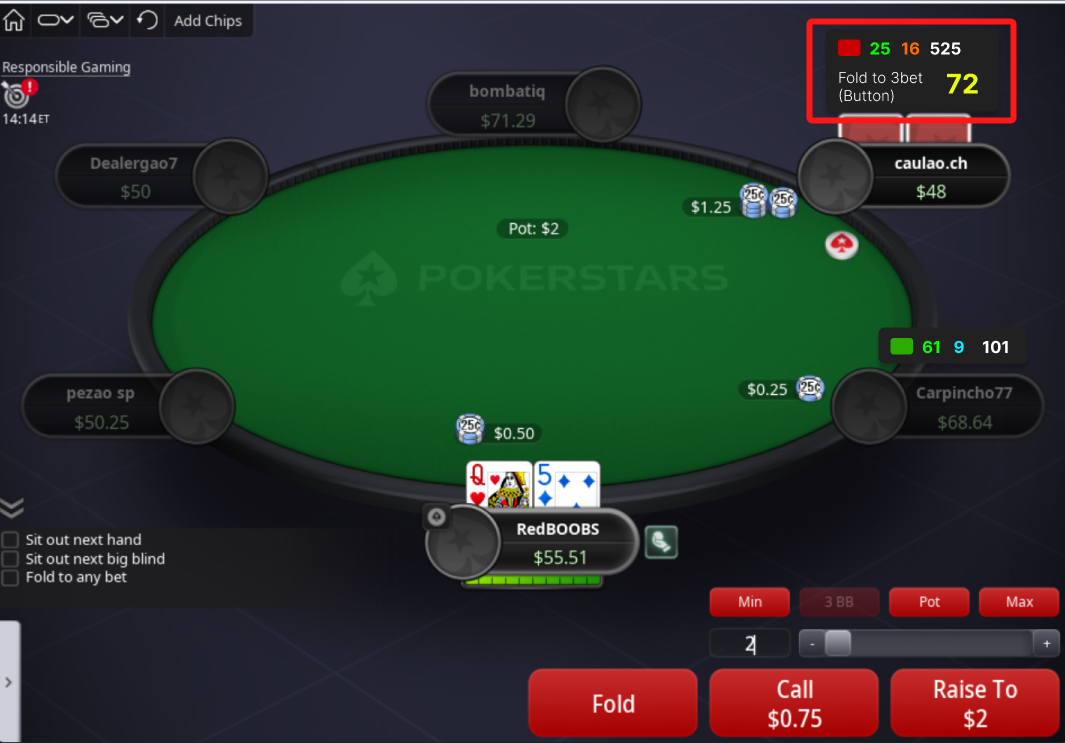
Folding to a 3-bet in 72% of cases is an exploitable weakness. This insight tells me immediately that I should 3-bet with a wide range.
With positional and dynamic HUDs, you can include hundreds of stats in the HUD while keeping it uncluttered and easy to scan.
# Don’t miss an insightful showdown
In poker, if you understand your opponent's logic, you can exploit it. Showdowns give the most insight into a player's strategy and logic because you see their cards.
However, in online poker, especially when multitabling, it can be challenging to keep track of every showdown. That's where Hand2Note comes to the rescue.
Hand2Note tracks the showdowns you haven't reviewed yet and shows a notification in the HUD, so you never miss an opportunity to get valuable reads on your opponents.
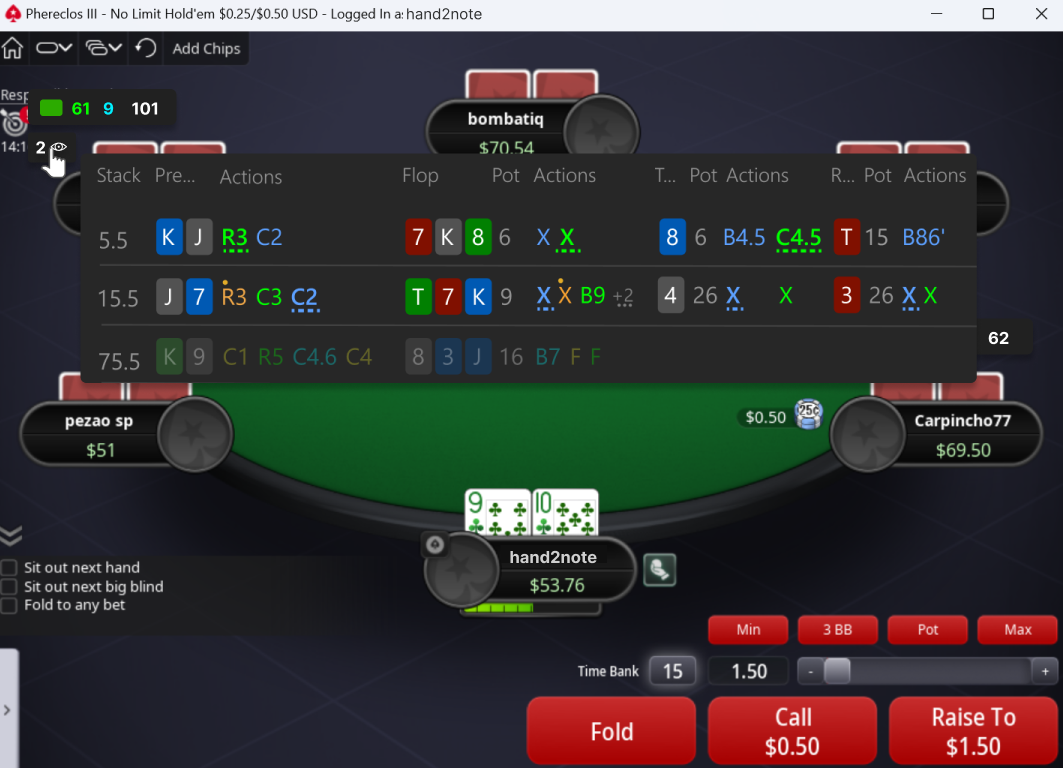
The Showdowns Indicator is especially useful for assessing the strategy of players who have just joined the table and whom you don't know much about. Don't lose your reads!
# Color Markers
A color marker helps you identify a player's type. By default, red indicates a regular player, and green indicates a recreational player.
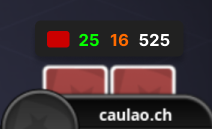
Many poker pros use color marking to build an exploitative strategy. How?
They manually set color markers for every player they meet at the tables. Then, they aggregate stats for all players with a specific color marker and study their strategy in Multi-Player Reports.
Read more about this technique in our blog post The Effective Way To Analyze Your Opponent’s Ranges.
# Frequently asked questions
# Are poker HUDs legal / allowed / considered cheating?
There is nothing illegal about HUDs. Some poker sites, like GG Network, don't allow HUDs (but still allow getting hand histories), and Hand2Note complies. If you see a HUD in Hand2Note on your poker sites, then it's allowed.
Note that the HUD is limited on PokerStars, where positional and dynamic HUDs aren't enabled.
# Where does Hand2Note get information about previously played hands?
Poker software like Hand2Note gathers data for the HUD (Heads-Up Display) from the hand histories generated by online poker platforms. These hand histories are text files that contain detailed information about every hand played, including the actions taken by each player.
Most online poker sites allow players to save these hand histories to their local computers. Hand2Note then imports these files, processes the data, and uses it to populate the HUD with statistics.
# How can I customize the HUD?
You can customize the HUD in our user-friendly and powerful HUD Editor.
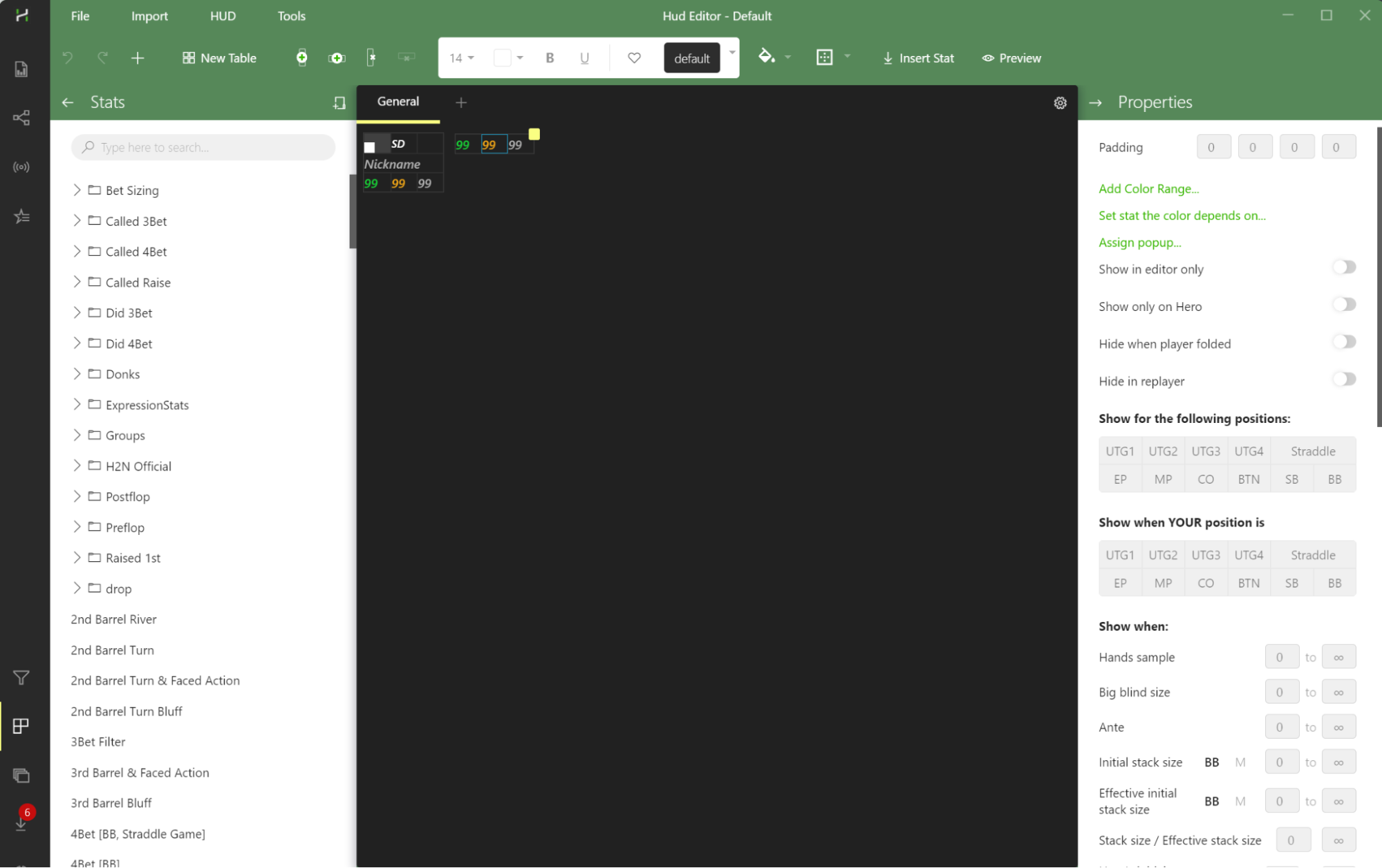
Read more about HUD Customization.


