

# Aliases in Hand2Note
What makes Aliases one of Hand2Note's most powerful features? We’ll start with the basics, then look at a few things you may not know you can do with them.
Table of Contents:
Create a Hero Alias in One Click
Group Players by Playing Style
Use Aliases in Custom Stats and Reports
# Create a Hero Alias in One Click
Start by combining your Hero accounts from different poker sites into a single Alias.
1. Open Configuration → Hero Nicknames.
2. Click Create Alias with Hero Nicknames.
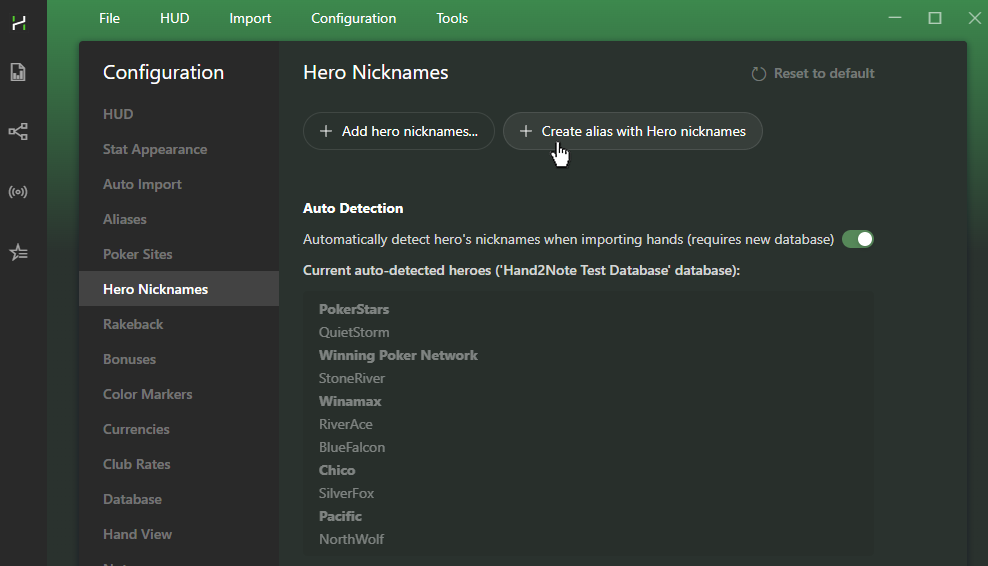
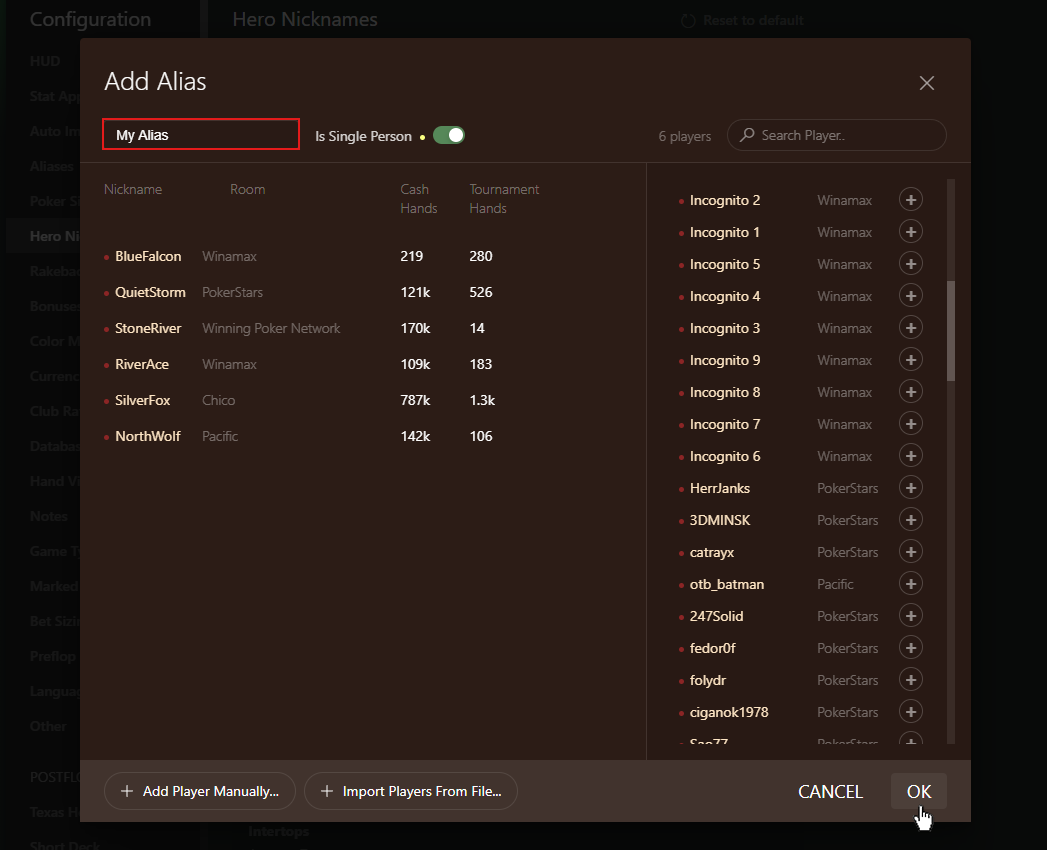
3. Enter a name for your Alias and confirm with OK.
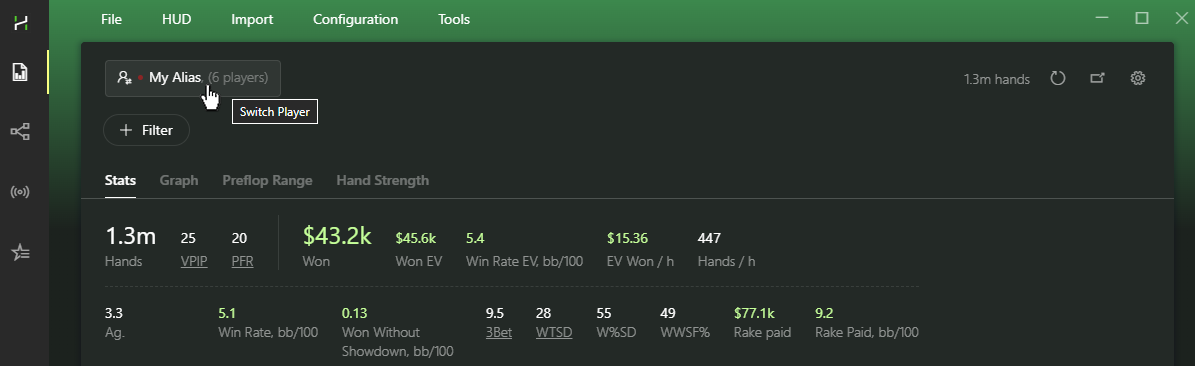
4. Select your Alias in Reports or Sessions to view your combined results across every poker site.
# Merge an Opponent's Accounts
You can do the same with your opponents. If you know a player's nicknames across different poker sites, combine them into a single Alias.
Go to Configuration → Aliases and add a new Alias.
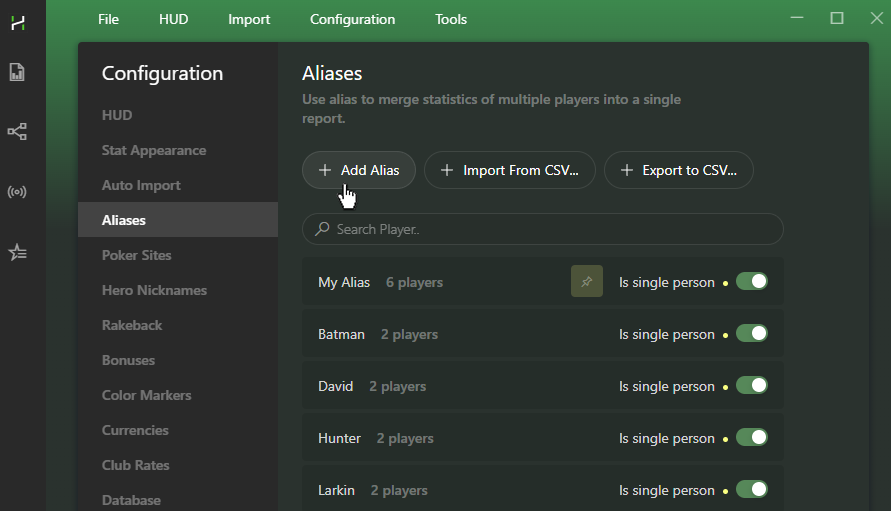
Add the player's accounts and enable Is Single Person.
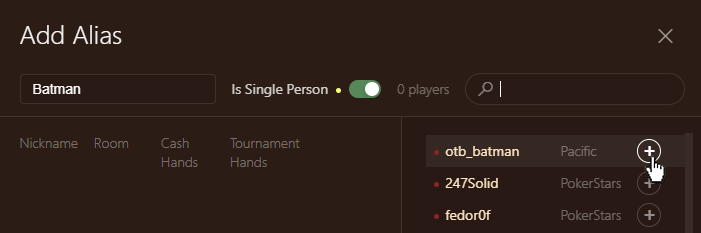
If the Alias contains different players, leave this option disabled.
# Create Aliases During Play
See the same opponent playing on multiple poker sites right now?
Copy their nickname from the Notes popup.
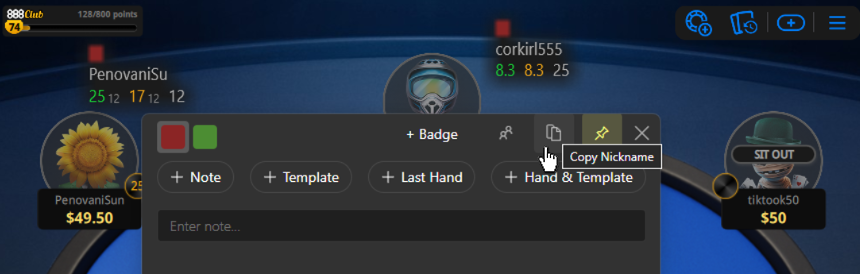
Open the Notes popup for the same player on another poker site and click Create Alias.
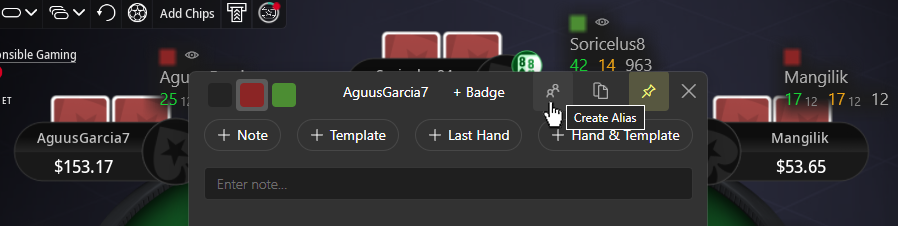
Hand2Note instantly merges all hands and updates the HUD automatically.
# Group Players by Playing Style
Build any player group you need—from regulars and recreational players to players with specific tendencies.
Switch to the Multiple Players tab and set your filters.
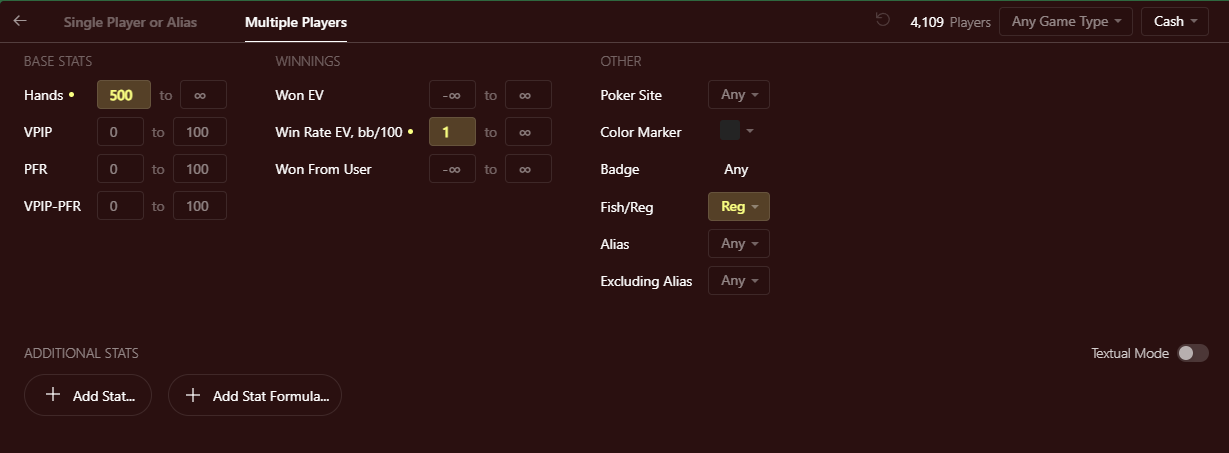
Mix and match filters using basic stats like Hands Played, Win Rate, or any custom stat.
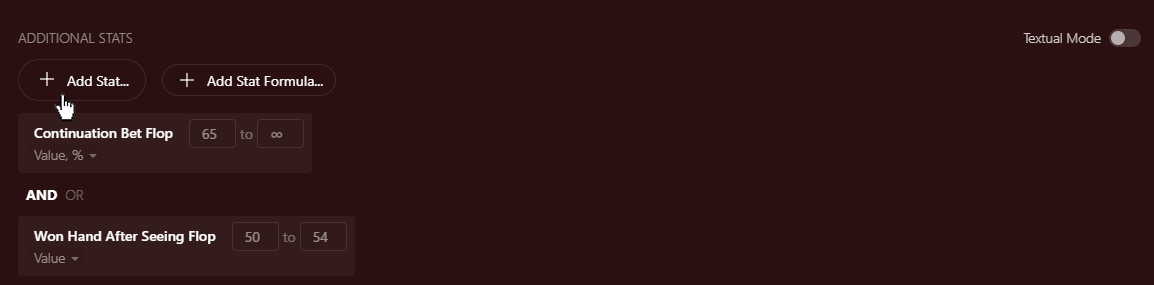
Hand2Note finds every player who matches your criteria.
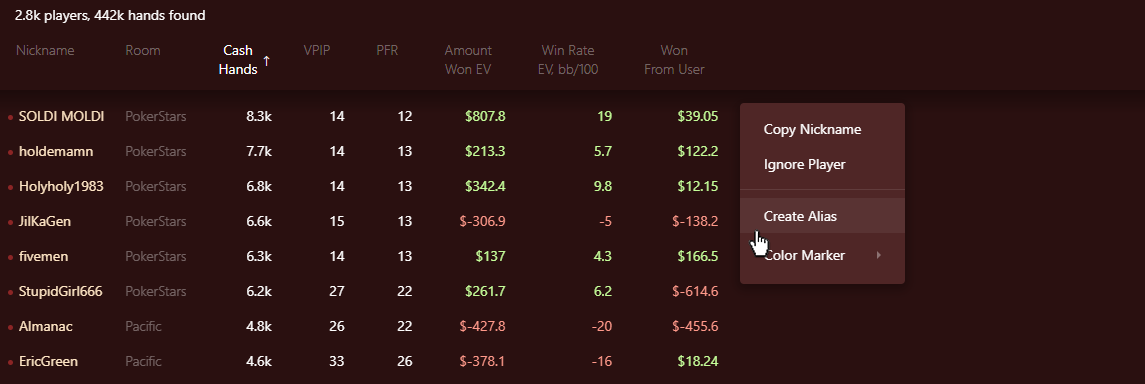
Once you've created an Alias, you can use it in Reports, Statistics, and custom filters.
# Turn Alias Data into Profit
Use Aliases in custom report filters and stats to see how opponents adjust their strategy against different player types. Spot those adjustments and build a profitable exploitative strategy.
# Create Stats with Aliases
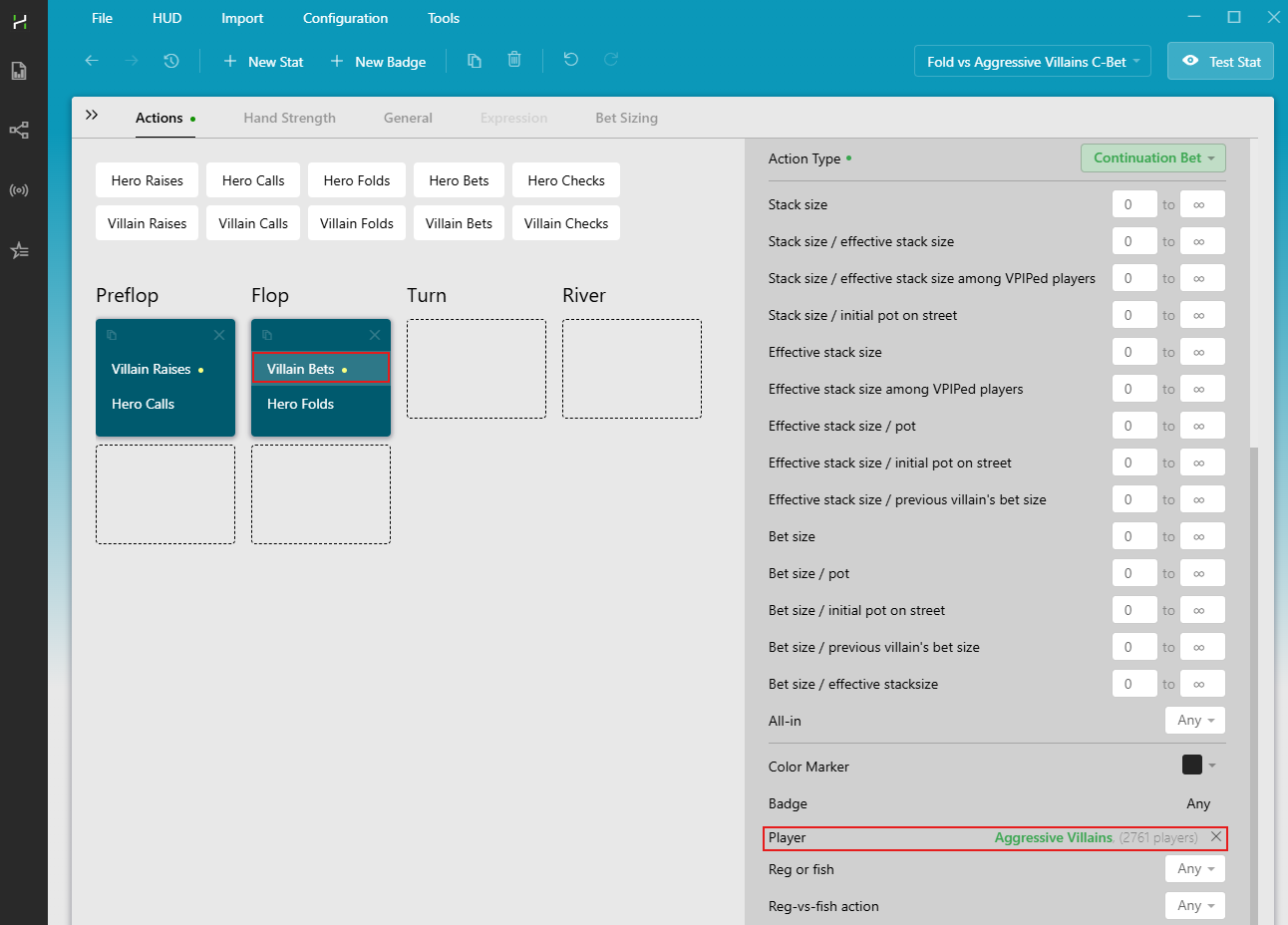
In the Stat Editor, use the Player parameter for Villain actions and select the Alias that represents the player group.
# Compare the Same Line Against Different Player Groups
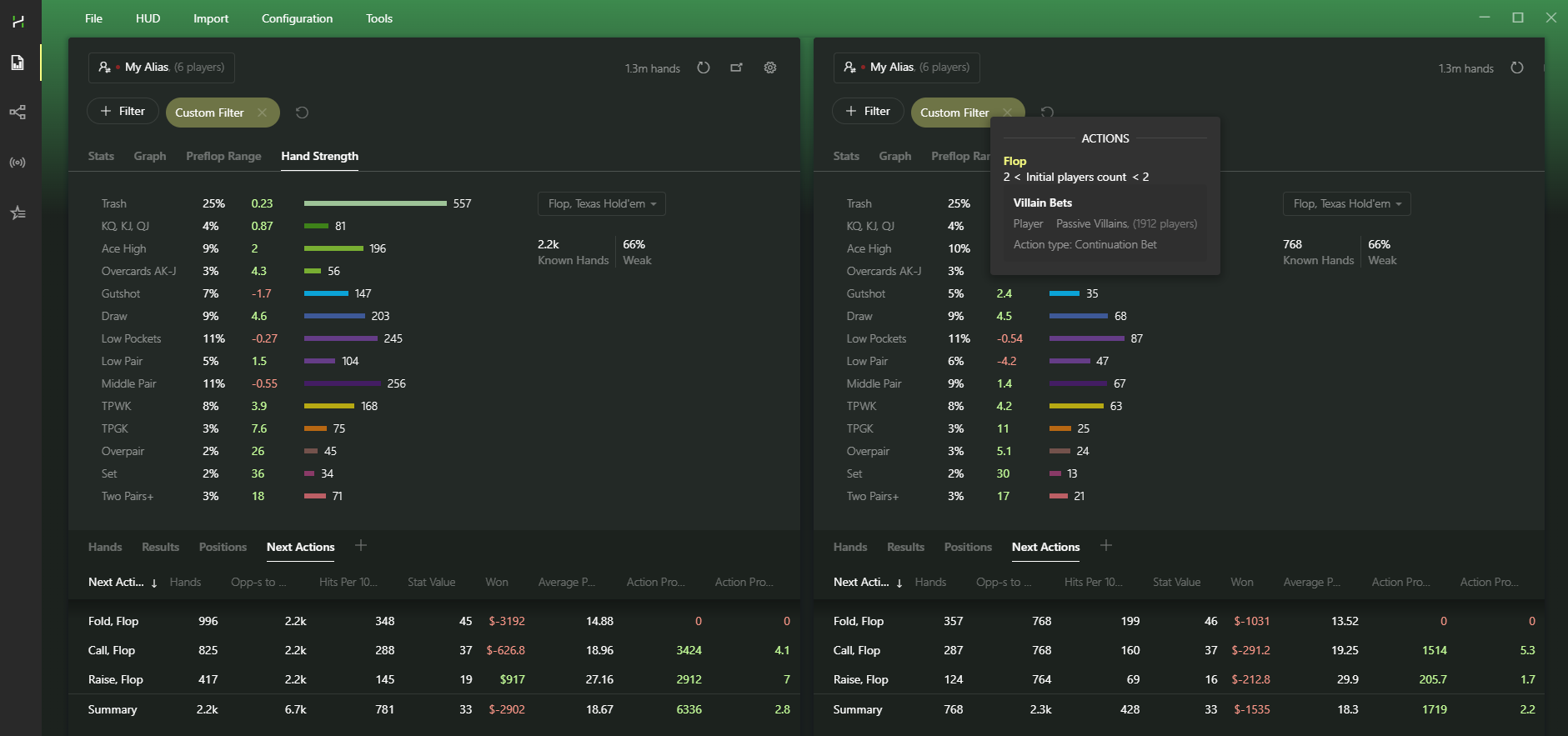
Add Aliases to custom Report filters to analyze your play against specific categories of opponents.
Compare lines. For example, see how profitable your raises are against continuation bets from aggressive players.
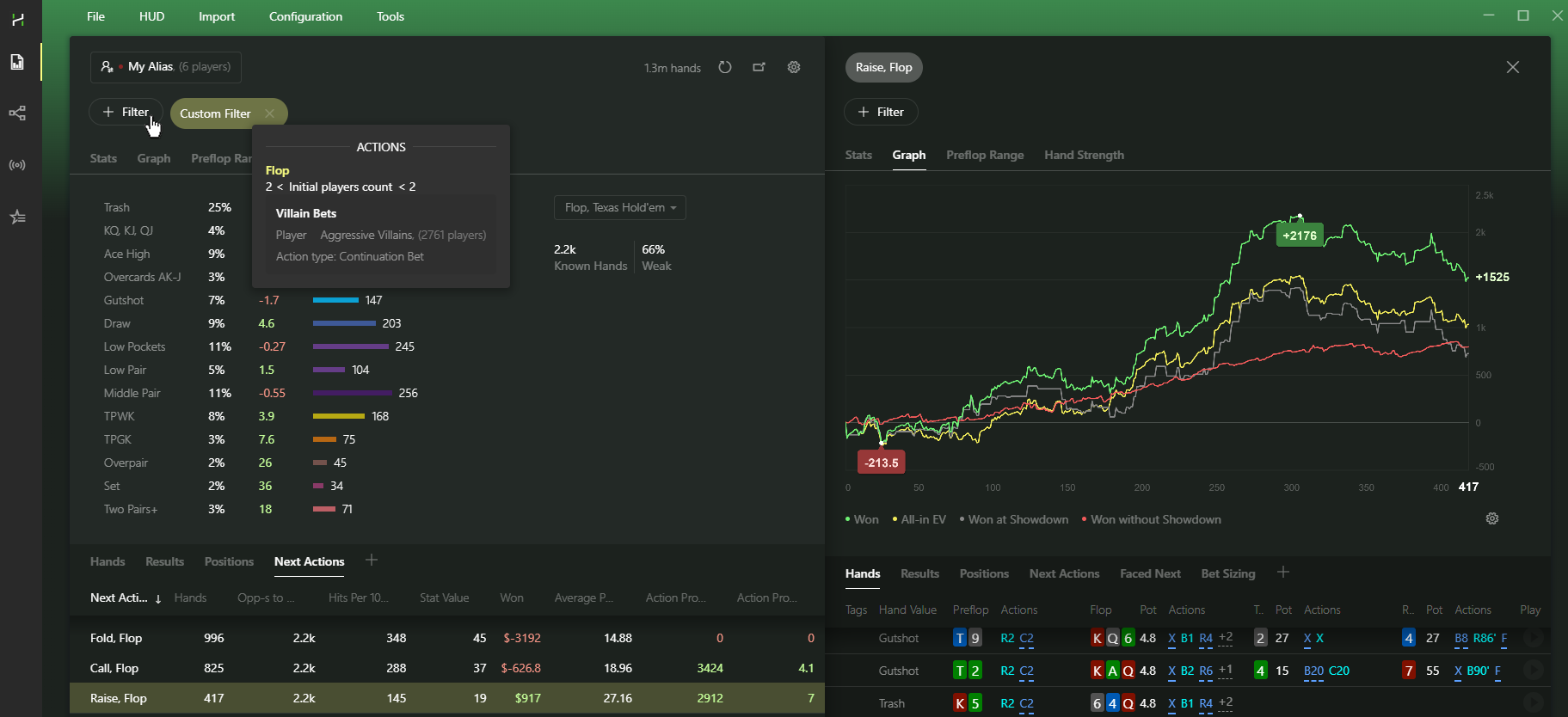
Then check how the same line performs against passive opponents.
# Import and Export Aliases
Move your Aliases between computers or share them with other players.
To import a prepared Alias list, use Import From CSV.
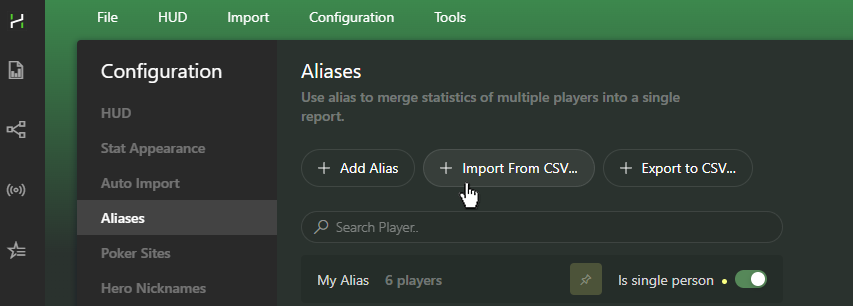
Example CSV format:
| Alias | Username | Room | Is Single Person |
|---|---|---|---|
| My Alias | RiverAce | PokerStars | True |
| My Alias | NorthWolf | WinningPokerNetwork | True |
| My Alias | SilverFox | IPoker | True |
| Alex_NL100 | AlexWN | Winamax | True |
| Alex_NL100 | AlexCN | ChicoNetwork | True |
| Aggressive Regs | 3BetMachine | Pacific | False |
| Aggressive Regs | AggroGamer | Pacific | False |
Each row represents one account and contains four fields: Alias name, Username, Poker Site, and Is Single Person (True or False).
Exported files use the same format.


